
Click-through rate (CTR) tells you how often people who see your link or ad actually click it. It is one of the quickest signals of whether your title and message match what people are looking for. But “good” depends heavily on where the link appears.
How to calculate CTR
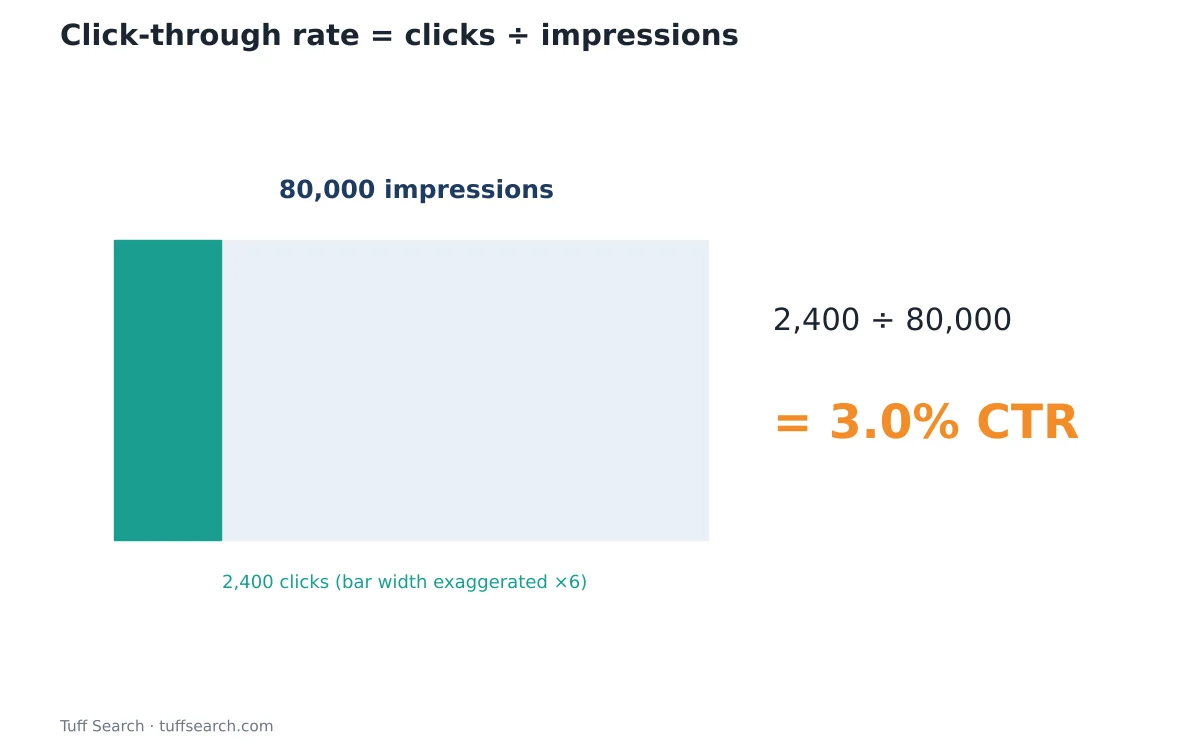
CTR = Clicks ÷ Impressions × 100%
Example
2,400 clicks from 80,000 impressions = 2,400 ÷ 80,000 × 100% = 3.0%.
Why there is no single “good” CTR
- Position: results near the top of a page are seen and clicked more than results further down.
- Search features: when a results page shows ads, images or a direct answer, fewer people scroll to the organic links.
- Intent: people looking for a quick fact may get it without clicking; people ready to use a tool are more likely to click.
- Channel and format: search ads, display ads, social ads and emails all have very different typical CTRs.
- Brand: people click names they recognise more readily.
Because of these factors, the most useful benchmark is your own history. Compare a page with itself over time, or compare pages that rank in similar positions for similar queries.
Try it with your numbersCTR CalculatorCalculate click-through rate, clicks or impressions from any two values.Open calculatorWhere to find your CTR
For organic search, the Performance report in Google Search Console shows clicks, impressions, CTR and average position for each page and query. For ads, the platform’s reporting shows CTR by campaign, ad and keyword.
Finding pages that deserve a better CTR
- In Search Console, filter to the last three months and sort pages by impressions.
- Look for pages with many impressions and a CTR well below similar pages at similar positions.
- Check the queries those pages appear for. Does the title promise what those searchers want?
How to improve CTR honestly
- Write titles that say exactly what the page offers, for example naming the calculator and the result it gives.
- Match the wording people use in their searches, without stuffing keywords.
- Write a meta description that explains the benefit; Google may show it when it matches the query.
- Keep URLs short and readable.
- Use structured data only when it truthfully describes the visible page.
- Improve the page itself: a more useful page tends to rank higher, and higher positions get more clicks.
What to avoid
Clickbait titles can raise CTR briefly, but if the page does not deliver, people leave, and the extra clicks bring no value. Misleading ad copy can also break advertising policies.
From CTR to cost per customer
For paid ads, CTR feeds straight into cost per click and, through your conversion rate, into what each new customer costs. See customer acquisition cost (CAC) explained and how to set a small business marketing budget.
Calculate CTR in seconds
The CTR calculator works out click-through rate from clicks and impressions. To see how CTR links to cost per click and cost per thousand impressions, read CPM vs CPC vs CTR.
Frequently asked questions
Divide clicks by impressions and multiply by 100. 2,400 clicks from 80,000 impressions is a 3.0% CTR.
It depends on ranking position, search features and query type. Compare pages against their own history and against pages in similar positions.
Google has not published CTR as a simple ranking factor. A clear, accurate title still helps the people who see your result decide to click.
Often because the page started appearing for more queries or lower positions where fewer people click. Check the queries and positions in Search Console.
Related calculators
Related articles
- Customer Acquisition Cost (CAC): Formula and Examples
- How to Set a Small Business Marketing Budget
- CPM vs CPC vs CTR: Ad Metrics Explained With Formulas