


SEO prices vary so widely that a single “average cost” is not much help. A better approach is to budget from the work your site actually needs, then check that the expected value justifies it. This framework works whether you hire someone or do it yourself.
Step 1: List the work
| Area | Typical tasks |
|---|---|
| Technical | Crawling and indexing fixes, site speed, mobile usability, structured data |
| Content | Improving existing pages, writing new pages that match real searches |
| On-page | Titles, headings, internal links, images |
| Measurement | Search Console and analytics setup, monthly reporting |
Step 2: Choose a pricing model
| Model | How it works | Good for |
|---|---|---|
| Hourly | Pay for time used | Small, defined fixes |
| Project | Fixed price for a defined scope | Audits, migrations |
| Monthly retainer | Ongoing fee for agreed work each month | Continuous content and optimisation |
| In-house | Salary or your own time | Larger sites with steady work |
Step 3: Build the budget
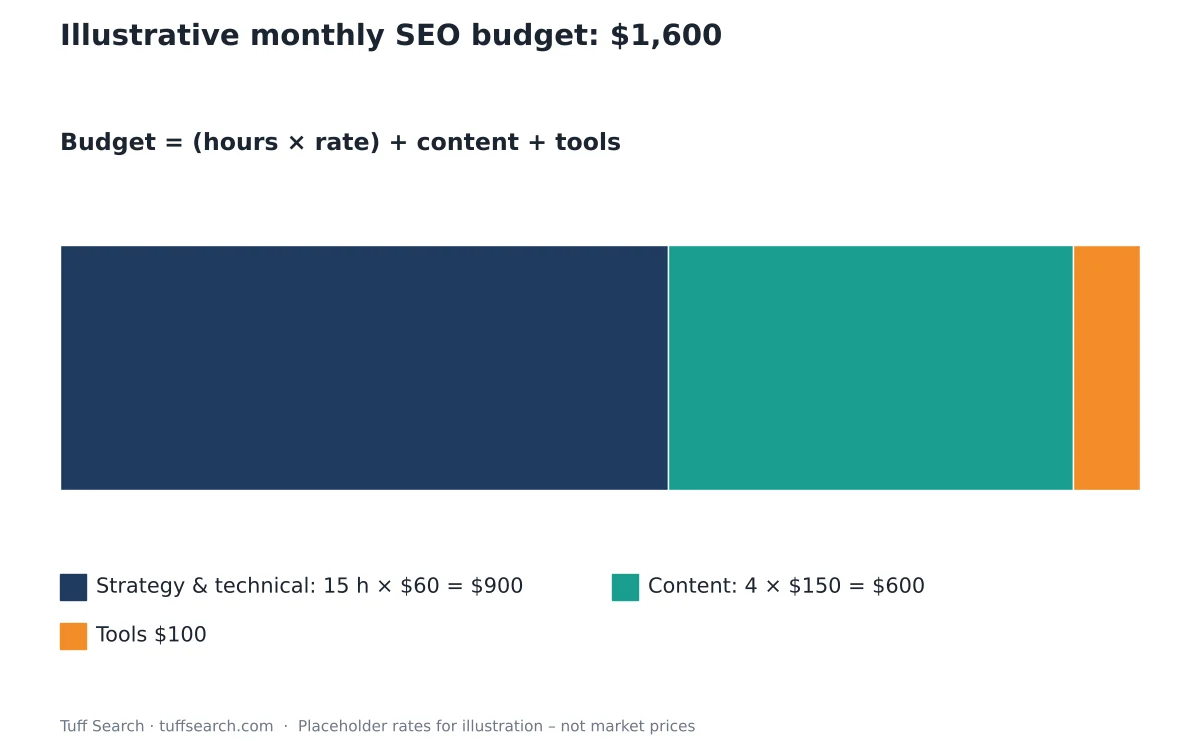
Monthly SEO budget = (Hours × Hourly rate) + Content cost + Tools
Illustrative example (the rates are placeholders, not market prices): 15 hours of strategy and technical work at $60 = $900; four articles at $150 = $600; tools $100. Total: $1,600 a month. Replace each figure with real quotes.
Step 4: Estimate the value
Monthly value ≈ Extra organic visits × Conversion rate × Value per conversion
For example, if SEO brings 2,000 extra visits a month, 2% convert and each conversion is worth $50, the value is 2,000 × 0.02 × $50 = $2,000 a month. Use your own analytics for these inputs, and remember results usually take months to build.
Questions to ask any SEO provider
Google’s own guidance on hiring an SEO suggests asking for examples of past work, how they will measure success and what changes they will make to your site. Be wary of anyone who guarantees a number-one ranking.
- What exactly will you do each month, and how will I see it?
- How will you measure results?
- Do you follow Google’s spam policies?
- Who owns the content and accounts at the end of the contract?
Doing it yourself
If you are doing SEO yourself, the main cost is your time. Google’s SEO Starter Guide covers the basics for free, and Google Search Console shows how your site performs in search.
Comparing SEO with paid channels
Judge an SEO budget the same way as any other channel: by the cost of each new customer it brings in once results build. The SEO ROI calculator models the ramp-up, and customer acquisition cost (CAC) explained shows how to compare channels fairly. For the overall plan, see how to set a small business marketing budget.
Estimate your budget
The SEO cost calculator helps you build an estimate from the work involved. More tools are in marketing calculators.
Frequently asked questions
Budget from the work your site needs and the value you expect, rather than from an average figure. Start small, measure, then adjust.
Usually months rather than weeks, depending on the site, competition and the changes made.
It can be if it relies on spammy links or low-quality content, which can break Google’s spam policies.
Yes. Google’s free documentation and Search Console are a good starting point for many small sites.
Related calculators
Related articles
- Customer Acquisition Cost (CAC): Formula and Examples
- How to Set a Small Business Marketing Budget
- CPM vs CPC vs CTR: Ad Metrics Explained With Formulas